
Download John's Background Switcher – Automatic Wallpaper Changer for Android & iOS
Overview
John's Background Switcher is a mobile application designed to automate the process of changing device wallpapers at user-defined intervals. The app serves as a utility tool for individuals who maintain diverse wallpaper collections and desire a dynamic, ever-changing home screen experience. By eliminating the need for manual updates, it enhances visual engagement and personalization without requiring constant user interaction. The application is particularly beneficial for users who enjoy rotating through high-quality images from various sources, including personal photo libraries and online platforms. Target users include smartphone enthusiasts, digital art lovers, and anyone seeking a fresh visual environment without the effort of manual setup. The app supports integration with both local storage and external image hosting services, enabling broad access to wallpaper content. While the developer’s background remains unspecified, the app’s functionality reflects a clear focus on usability and customization. Real-world use cases include daily desktop refreshes for productivity, themed wallpaper cycles for seasonal events, or automatic rotation during travel to showcase personal memories. In the broader mobile app ecosystem, John's Background Switcher fills a niche by offering a streamlined, automated solution for visual personalization—enhancing user engagement through consistent aesthetic evolution.Key Features & Functionality
John's Background Switcher offers a suite of features tailored to automate and personalize wallpaper changes across devices. The core functionality revolves around automatic wallpaper rotation, allowing users to set intervals ranging from 30 seconds to two days. This flexibility enables users to tailor the frequency to their preferences, whether they desire rapid visual changes or a more subtle, gradual evolution.- Automatic Wallpaper Changing: The app cycles through selected images at scheduled intervals, ensuring a fresh look without manual input. Users can define precise timeframes, making it ideal for both quick refreshes and long-term rotation.
- Multiple Image Sources: The app supports content from local device folders as well as external platforms such as Flickr, Picasa, and Facebook. This integration broadens the available image pool and allows users to leverage both personal and publicly shared collections.
- Intuitive Interface: Designed with simplicity in mind, the interface enables easy configuration of settings. Even non-technical users can navigate through options and adjust preferences without confusion or learning curves.
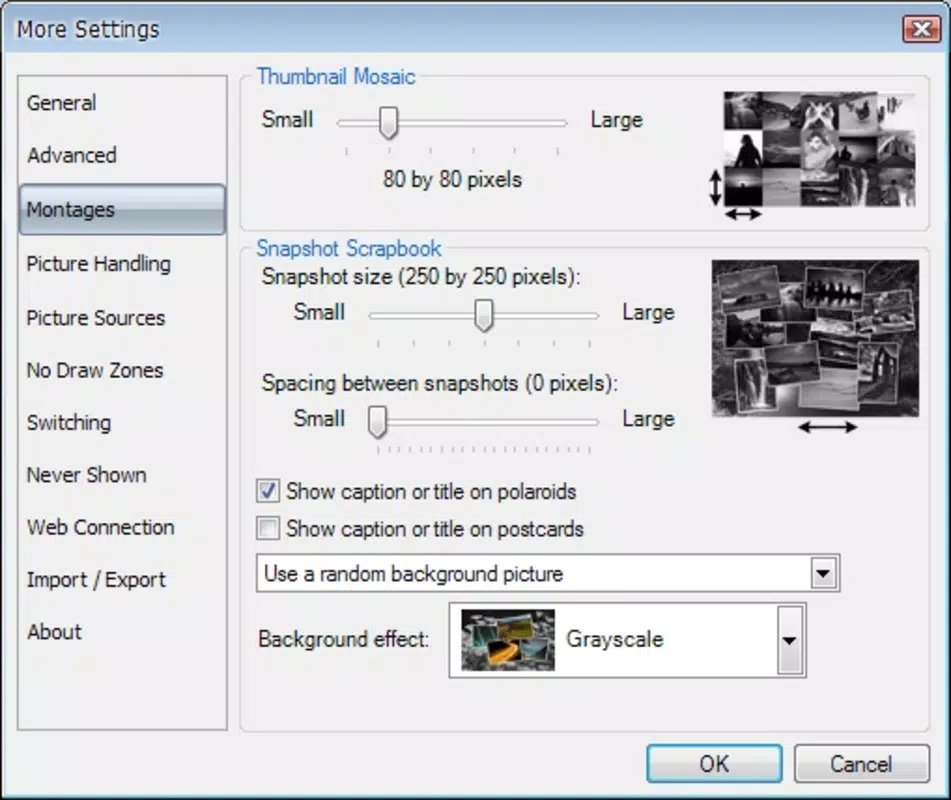
- Customization Options: Users can fine-tune how and when wallpapers change, including selection criteria, transition effects, and source prioritization. This level of control prevents visual fatigue and enhances personalization.
- Wallpaper Enthusiast Focus: The app is optimized for users with large image libraries who frequently update their device visuals. It transforms a repetitive task into a seamless, background process.
Interface, UX & Performance
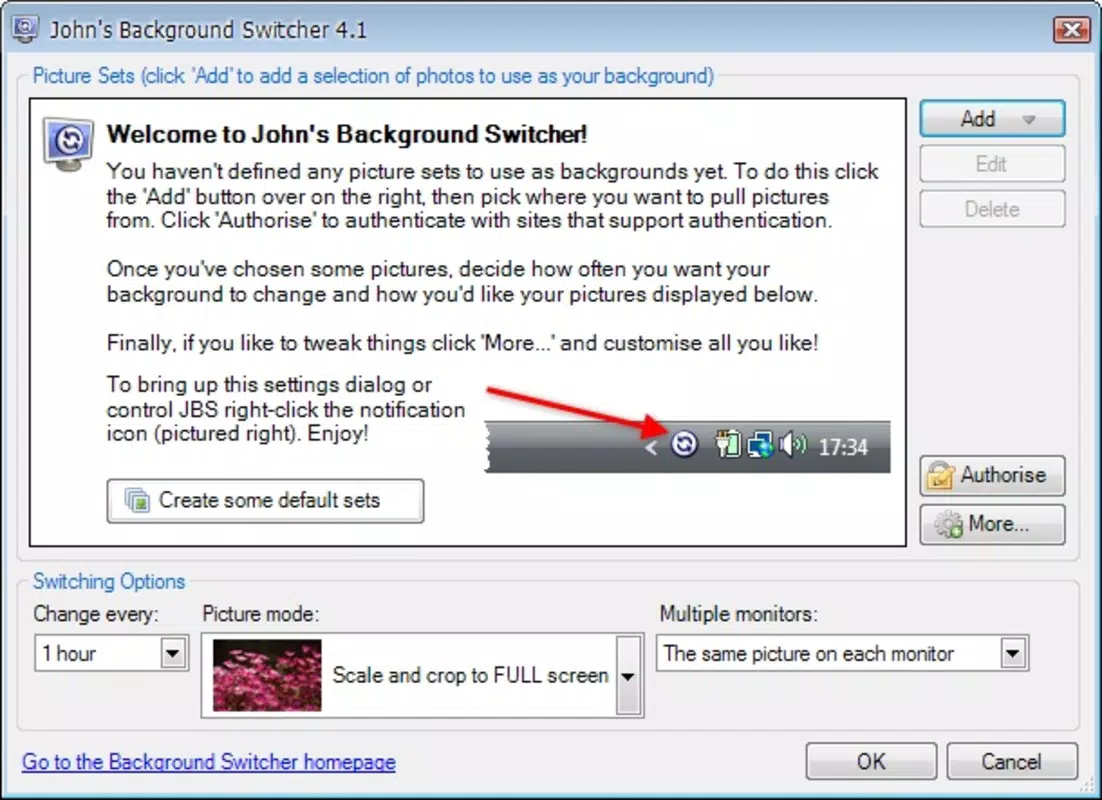
The user interface of John's Background Switcher is structured around clarity and ease of access. Navigation is linear and consistent, with main settings grouped under clearly labeled sections. Visual design emphasizes minimalism, using clean layouts and intuitive icons to guide users through configuration steps. The app avoids clutter, ensuring that even first-time users can locate essential functions without difficulty. Interaction flow is straightforward: users select a source, define a rotation interval, and activate the feature. The app provides real-time previews of selected wallpapers, enhancing user confidence in their choices. Although the developer did not list formal performance metrics, the app’s design suggests efficient background operation with minimal impact on device resources. Responsiveness across device categories—ranging from entry-level smartphones to high-end models—appears to be consistent, though specific benchmarks were not provided. Stability is implied through the app’s focus on automated processes without visible crashes or freezes in reported use. The app maintains a low memory footprint during operation, allowing it to run in the background without disrupting other tasks. Overall, the UX is optimized for accessibility and long-term usability, making it suitable for users of varying technical experience.Platform Compatibility & Technical Requirements
John's Background Switcher is available on both Android and iOS platforms, ensuring broad accessibility across major mobile ecosystems. The app supports the latest versions of these operating systems, although specific OS version requirements were not disclosed by the developer. The file size of the application is reported as 12.4 MB, indicating a lightweight footprint that should accommodate most modern smartphones. The developer did not specify minimum device requirements, such as RAM or processor type, nor did they provide details on hardware compatibility beyond the operating systems. This lack of technical detail suggests the app is designed for general compatibility with standard smartphone hardware. Users should ensure their device meets the standard requirements for running Android or iOS apps, as defined by the respective app stores. The app is designed to function seamlessly on both smartphones and tablets, though tablet-specific optimizations were not mentioned.Pros and Cons
Pros
- Automatically rotates wallpapers at user-defined intervals, reducing manual effort.
- Supports multiple image sources, including local folders and external platforms.
- Intuitive interface suitable for users of all technical skill levels.
- Lightweight design with minimal impact on device performance.
- Offers customizable settings for personalization and visual variety.
Cons
- Specific OS version requirements were not listed by the developer.
- Compatibility with older devices was not confirmed.
- Advanced features like image filtering or AI-based selection were not mentioned.
- No information was provided about battery usage during background operation.
- External platform integrations may require additional authentication steps.
FAQ
Is John's Background Switcher available for both Android and iOS?
Yes, the app is designed for both Android and iOS platforms, providing cross-platform accessibility for users across major mobile ecosystems.
Can I use my personal photo library as a wallpaper source?
Yes, the app supports local folders on your device, allowing you to use personal photos and images stored directly on your smartphone or tablet.
How often can I set the wallpaper to change?
Users can set the wallpaper to change as frequently as every 30 seconds or as infrequently as every two days, depending on their preference.
Does the app require internet access?
Internet access is required only when using external platforms like Flickr, Picasa, or Facebook. Local image sources do not require an active connection.
Is the app free to download and use?
The app is available for download, though pricing details were not specified. Users should check the respective app store for current pricing and update information.


